Note: This article was originally posted on ValueQ, where may offer you an impressive discount. Make sure you check ValueQ before you make the purchase.
To go with the latest Pixel smartphone, Google has introduced a new wired headset called Google Pixel USB-C earbuds. The headset USES an USB-C data interface and supports real-time translation in more than 40 languages. I am very lucky to get this earphone, and I feel very good after using it for a period of time, so I would like to share my experience with you.
Packaging:
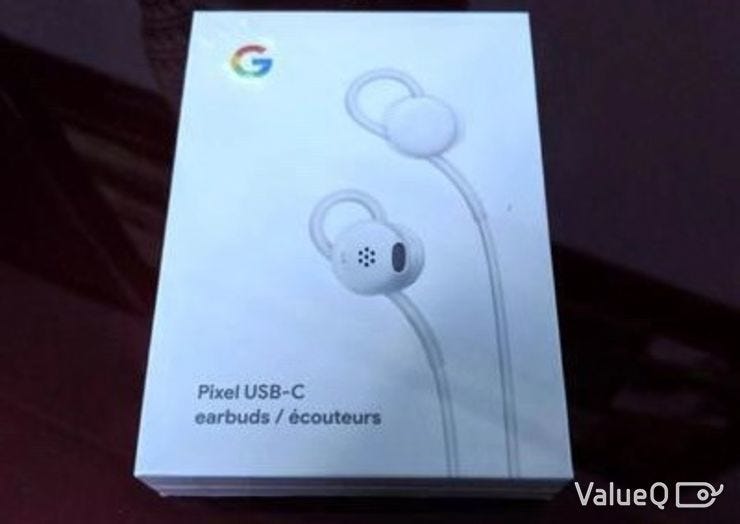
Very simple white cardboard box with Google logo on the top left corner. Open the box and you’ll see: Pixel USB-C headphones, a quick start guide, and a security manual.
Specification:
Headphone size: 15.9*16.5mm
Weight: about 15g
Cable length: about 112cm
Material: polycarbonate, thermoplastic polyurethane

Design:
Apart from the “G” logo, the headset has no frills. Simple white matte material, adjustable ring in earplugs, this design can make earphones more convenient and more comfortable to wear.

There is a button in the middle of the cable, which is the controller of the headset. When you press it, it has a special touch. You simply press the black button to control the volume of your headphones and listen to notifications on your phone.

Of course, you can also ask the Google assistant to provide you with real-time translation by pressing this black button. Currently, more than 40 languages can be delivered directly to the headset via Google translate.
The sound quality:
The sound transmitted through the headset is uniform and smooth, with little distortion.
However, the earplugs are not designed with earmuffs, so if you listen carefully, you can still find a little external sound in the transmitted audio. It really depends a lot on the quality of the sound itself and the external environment you’re in, but overall, it doesn’t affect the normal use of headphones.

Google assistant:
It’s really cool that this headset provides real-time translation, and you can easily control the kind of language you want to hear through the black button, as if there is a translator around you, which is much more convenient and time-saving than using software to find the translation by ourselves.
…193 words left.
Thanks for your reading! If you want to know the remaining, please check ValueQ.
评论
发表评论